

- Suggested Learning Resources
- ACE-Lab Shop
- …
- Suggested Learning Resources
- ACE-Lab Shop
- Suggested Learning Resources
- ACE-Lab Shop
- …
- Suggested Learning Resources
- ACE-Lab Shop
ACE-Box Overview & Access
Learn what the ACE-Box is, why it supports hands-on MATLAB and Simulink control engineering activities, and how to access the physical platform.
Get Access to an ACE-BoxImportant first step
Need an ACE-Box before starting the hardware exercises?
The ACE-Box is the physical platform used for the hands-on MATLAB and Simulink activities below. You can request 3D-print STL files and a parts list, book a free set-up consultation, or order a ready-to-use Base+Sense kit.
Showing 0 of 0 itemsNo matchesTry a different keyword.What is the ACE-Box?
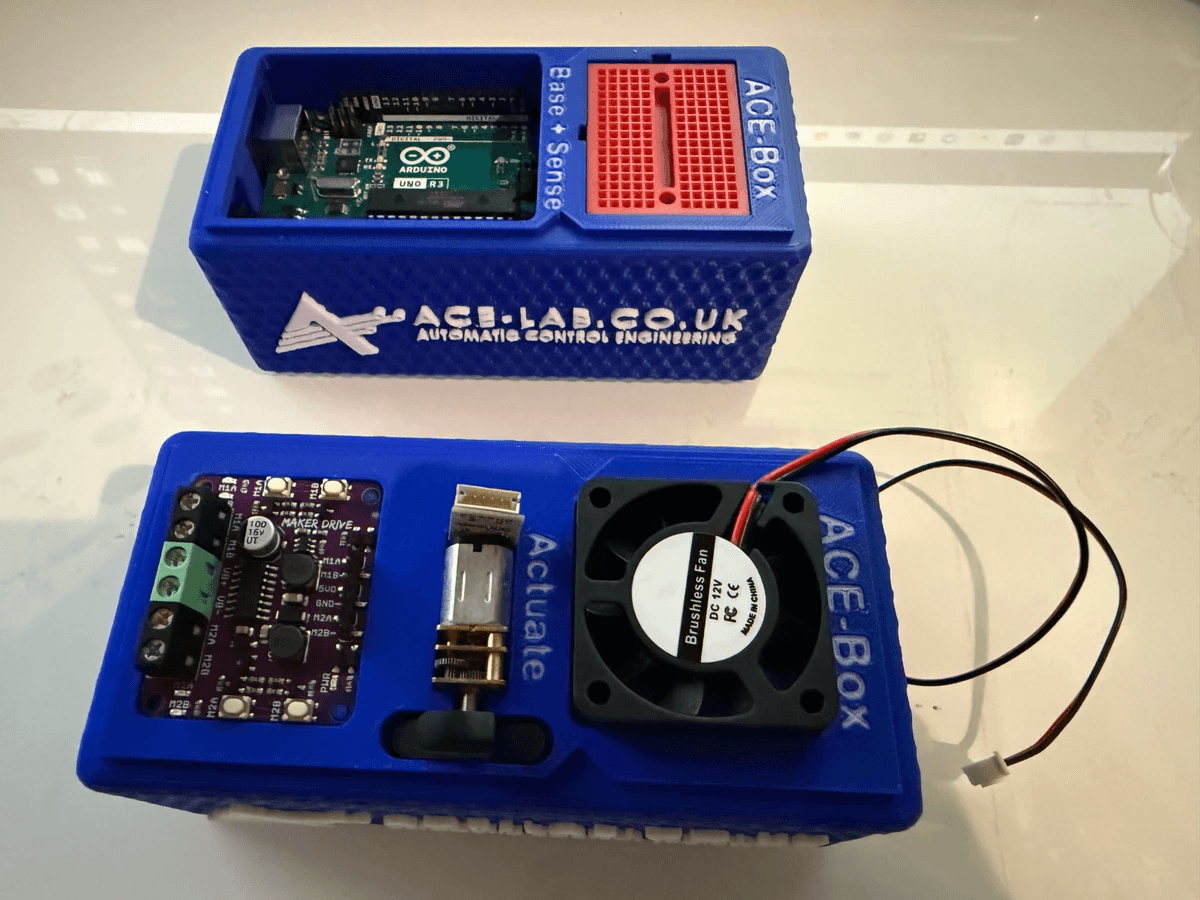
ACE-BoxPlatform overviewWhat is the ACE-Box?
Understand how the ACE-Box is structured (Base+Sense and Actuate), why it’s portable and open-access, and how it supports practical control engineering workflows in MATLAB & Simulink.
Access RequiredGet a unitNeed an ACE-Box? Start Here
You will need access to an ACE-Box to complete the hardware-based exercises. Choose the route that suits you best: book a free set-up consultation, request the 3D-print STL files and parts list, or order a ready-to-use Base+Sense kit for teaching, training, or project work.
CommunityTestimonialsUser Endorsements
Read how educators and engineers describe ACE-Box as a bridge from theory to real-world control practice, including flexibility, ease-of-use, and learner confidence.
Advancing automatic control engineering (ACE) education through global collaboration


